
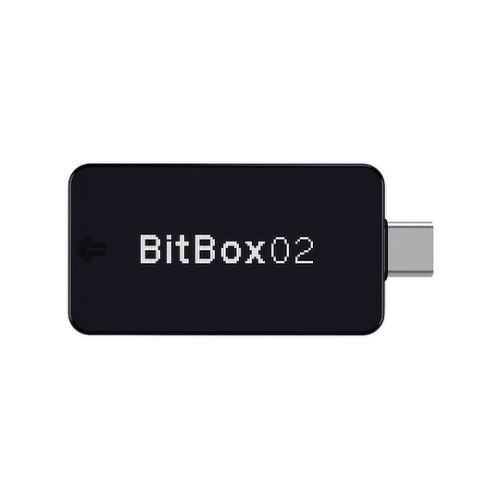
Hardware wallets tend to look the same from the outside. Small, rectangular, a USB plug at one end. What separates them is what happens internally, and how much of that is actually documented and verifiable. Shift Crypto AG has built the BitBox02 and BitBox02 Nova around a specific idea: publish everything, audit everything, and make the security architecture something anyone with the right skills can actually inspect. This BitBox wallet review is drawn entirely from Shift Crypto’s official specifications, security documentation, and published product pages.
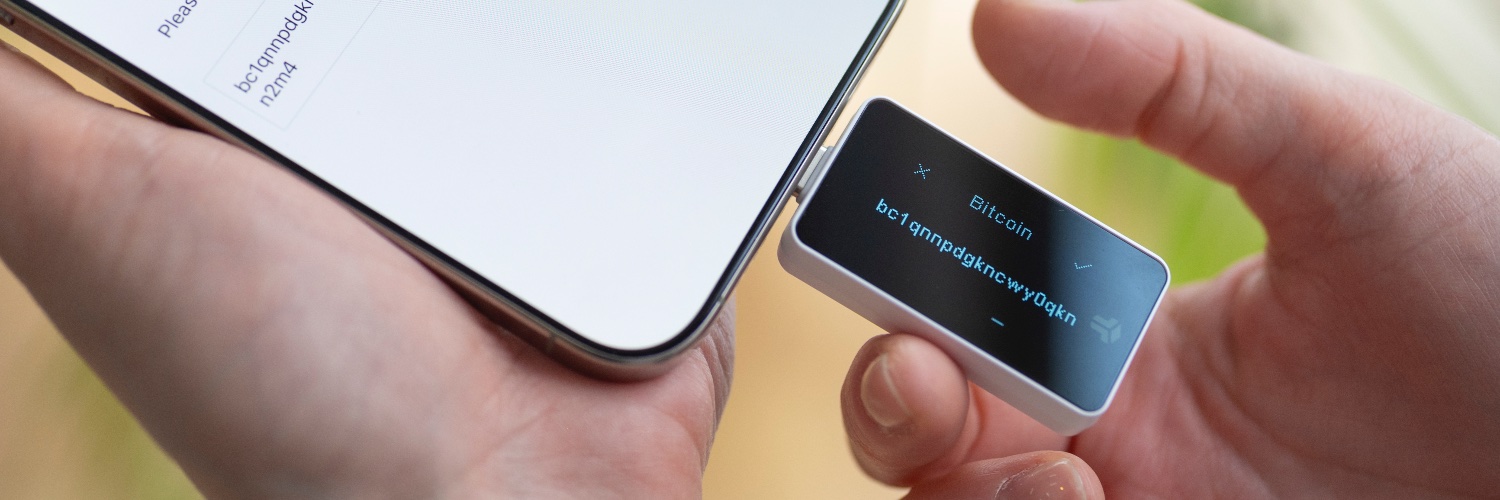
Two devices are currently available, each sold in a Multi edition and a Bitcoin-only edition. That is four combinations worth understanding before choosing one.
INFO BOX: Quick Specs
BitBox02 BitBox02 Nova Price $171 $201 Secure chip ATECC608B OPTIGA Trust M V3 (EAL6+) Display 128×64 OLED 128×64 OLED + tempered glass Mobile support Android (USB-C) Android + iPhone/iPad (Bluetooth) Colors Black Black, White, Bitcoin Orange Connectivity USB-C USB-C + Bluetooth Low Energy Editions Multi, Bitcoin-only Multi, Bitcoin-only Open source Yes Yes Made in Switzerland Switzerland
The Company Behind It
Shift Crypto AG is based in Switzerland and has been building hardware wallets since 2015. Both the firmware and the companion BitBoxApp are open-source and published on GitHub. Beyond the software, the company has also released X-ray images of the hardware internals and circuit schematics. Publishing hardware-level documentation is not something most manufacturers do.
External scrutiny is built into how the product is maintained. Census Labs independently audited the BitBox02 firmware, and Shift Crypto runs a bug bounty program that pays security researchers to find and responsibly disclose vulnerabilities.
BitBox02 vs BitBox02 Nova: Which One Is Actually for You?
Most reviews hand over the spec table and leave the decision to you. Here the question gets answered directly.
iPhone or iPad users should get the Nova. Full stop. There is no native iOS support on the original BitBox02, and Bluetooth Low Energy on the Nova is what makes that connection possible. Worth knowing: that Bluetooth can be permanently disabled. Users who want USB-C only across every platform can do that, keeping all the Nova’s other upgrades while removing the wireless connection entirely.
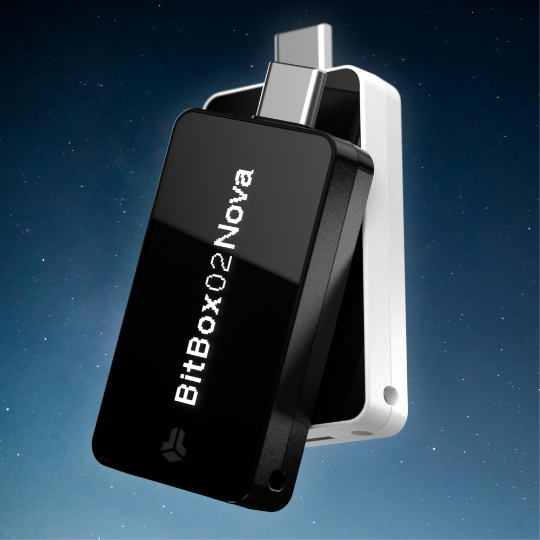
Those upgrades are meaningful in other ways too. The Nova uses an OPTIGA Trust M V3 secure chip carrying EAL6+ certification under the Common Criteria security standard. The original BitBox02 uses an ATECC608B, which does not carry that certification. The Nova also places a tempered glass layer over the OLED screen, which holds up better to scratches and reads more clearly in bright light.
Android and desktop users who have no Apple devices in the picture can save $30 with the original BitBox02. Both models share the same dual chip security architecture, the same open-source firmware, and the same BitBoxApp. The security difference in daily use is negligible.
How the Security Actually Works
Feature names on a spec sheet mean nothing without context. A proper BitBox wallet review needs to explain what is actually going on under each heading.
Dual Chip Design
Two chips sit inside the device: a microcontroller that runs the open-source firmware, and a separate secure chip. Getting to the encrypted wallet seed requires three separate secrets simultaneously. There is a random value on the secure chip, a different random value on the microcontroller, and the device password the user enters. Remove any one of those three and access fails.
Password brute-forcing is also constrained at both layers. The microcontroller enforces a ten-attempt ceiling. As a separate backstop, the secure chip runs its own counter that cannot be bypassed even if an attacker somehow worked around the microcontroller’s limit. Password stretching further increases the time cost of each guess attempt.
Open Source and Reproducible Builds
Publishing code on GitHub is a starting point, not an endpoint. The gap that open-source alone does not close is the question of whether the binary actually running on a shipped device matches the published source. Reproducible builds are how BitBox closes that gap. Anyone can download the source code, compile it, and check whether the resulting binary is byte-for-byte identical to the official release. WalletScrutiny, an independent project that audits hardware wallet firmware, has verified this for the BitBox02. Signatures from community members asserting the correctness of releases are also gathered on GitHub.
Five Sources of Randomness
Generating a wallet seed securely depends on how unpredictable the underlying randomness is. Most hardware wallets draw from one or two entropy sources. BitBox uses five: a true random number generator on the secure chip, a separate true RNG on the microcontroller, a static random value installed at the factory and unique to each individual device, entropy contributed by the host computer, and a cryptographic hash of the device password.
These sources are combined so the final result is at least as strong as the strongest single source. Not the weakest. Even if four of the five were somehow compromised, the fifth would hold the seed’s security intact.
Anti-Klepto Protection
This one deserves a real explanation, because it rarely gets one.
When a hardware wallet signs a Bitcoin transaction, it generates a temporary random value called a nonce as part of the cryptographic process. A malicious or backdoored firmware can deliberately select weak nonces across a series of transactions. Analyzed together, those weak nonces eventually reveal the private key to anyone monitoring the blockchain, without the attacker ever touching the physical device.
BitBox02 was the first hardware wallet to implement protection against this attack. One of Shift Crypto’s engineers authored the original pull request to Bitcoin Core’s secp256k1 cryptographic library that introduced the anti-klepto protocol. The protection is built into the signing process on the device itself.
Physical Security
The microcontroller and secure chip are covered with security-grade epoxy, which significantly complicates any attempt to access them through physical means. The casing uses a pin-and-glue design where pulling the two halves apart snaps the internal pins cleanly. Once broken, the case cannot be reassembled in a way that hides the intrusion.
During operation, the wallet seed stays encrypted in RAM. It only decrypts temporarily when a specific operation actually needs it, like confirming a transaction. The rest of the time it sits encrypted in memory, which reduces the window any RAM-access attack would have to exploit.
Privacy
No IP addresses or transaction data are collected by Shift Crypto’s servers during normal BitBoxApp use. The desktop app supports connection to a self-hosted Bitcoin full node, bypassing BitBox infrastructure entirely. Tor routing is available as an in-app option for users who want their transaction activity directed through the Tor network.
Supported Cryptocurrencies
The Multi edition covers Bitcoin, Litecoin, Cardano, Ethereum, and over 1,500 ERC20 tokens, including USDT, DAI, Chainlink, and BAT. Full details are at bitbox.swiss/coins.
Bitcoin-only firmware supports BTC exclusively. That narrower scope is a deliberate security choice, not a stripped-down version of the product. Less code means fewer lines that could contain a vulnerability. On top of that, the secure bootloader prevents a Bitcoin-only device from ever accepting Multi edition firmware, so the boundary is enforced at the hardware level.
One limitation to flag: native support for Solana, Polkadot, and XRP is not available in either edition as of this BitBox Wallet review.
Backup and Recovery
Backup handling is one area where this BitBox wallet review found a genuine difference from how most hardware wallets approach the problem. Every BitBox ships with a microSD card, and the wallet backup is written to it during initial setup. Restoring from that card to a replacement device takes a matter of seconds. From inside the BitBoxApp, users can verify the backup against the device at any point, making it easy to confirm the backup actually works before it is ever needed.
Paper seed backups have two persistent problems. One is transcription errors. Writing down 24 words accurately in sequence is easy to get wrong, and a single mistake means the backup is useless. The other is environmental exposure during setup. If someone or something is watching the room while those words are being written down, the backup is compromised before the ink dries. A microSD backup skips both issues. Nothing is written on paper at setup and nothing sensitive is visible.
The 24-word BIP39 recovery phrase is still an option. It can be displayed and written down any time after setup, not just during initial configuration. Those words work with any BIP39-compatible wallet.
The BitBoxApp
Setup, management, buying, selling, and swapping all happen through the BitBoxApp. It runs on Windows, macOS, Linux, iOS, iPadOS, and Android.
Feature list: BitBoxApp
- Buy crypto in-app, sent directly to the hardware wallet
- Sell crypto to a bank account using digitally signed payment requests
- Swap crypto non-custodially, no KYC required
- WalletConnect for Ethereum DApps
- Connect to a self-hosted Bitcoin full node
- Tor routing for transactions
- Coin control for manual UTXO selection
- Multiple accounts on a single device
- U2F authentication for online accounts
- Transaction notes
- Unified Bitcoin address handling across legacy, SegWit, Bech32, and Taproot
- 16 languages supported
- Third-party wallet support: Electrum, Sparrow, Specter Desktop, MyEtherWallet
- Optional Bitsurance bitcoin insurance covering theft, extortion, and natural disaster
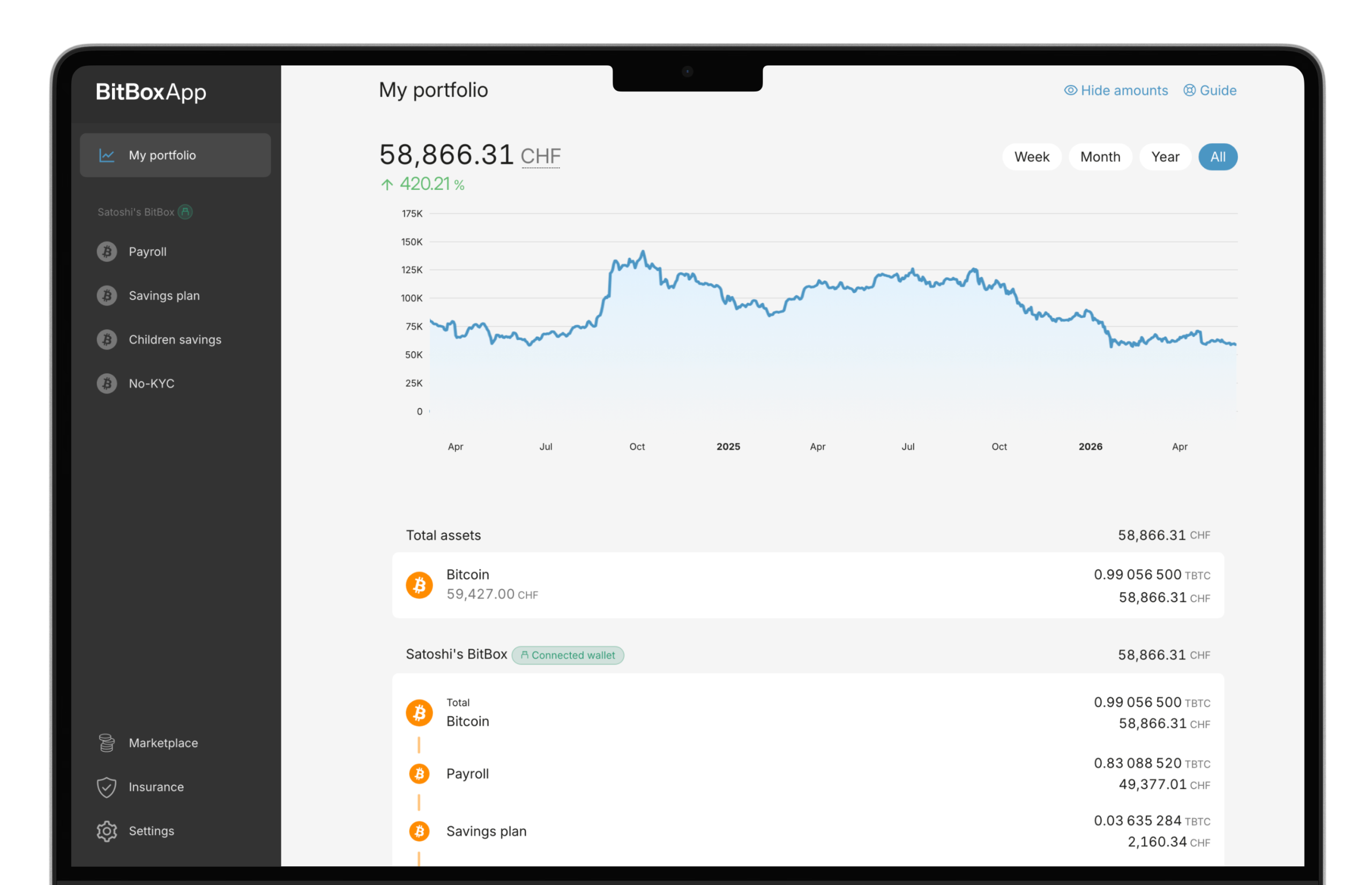
The swap function runs without handing over custody at any step. Coins never leave the user’s control during an exchange. Those who prefer their own wallet software over the native app can run Electrum, Sparrow, or Specter through the hardware without losing any core functionality.
Pricing and What’s in the Box
Pricing
Device Price (USD) What’s included BitBox02 $171 Device, microSD card, USB-C cable, USB-A adapter, rubber pulls, stickers BitBox02 Nova $201 Device, microSD card, USB-C cable, USB-A + Lightning adapters, rubber pulls, stickers Payment methods: Bitcoin, Visa, Mastercard, bank transfer, and European payment methods. Import taxes on international orders are covered by Shift Crypto.
Accessories (shop.bitbox.swiss)
Product Price Steelwallet (fireproof, waterproof) $74 Steelwallet Pro (reusable, tamper-resistant) $228 Seedor (hammered steel seed plate) from $79 Backup card from $10 MicroSD backup cards (2-pack) $29 BitBoxBox carrying case $17 Tamper-evident bags from $17
Pros & Cons
Who Should Get a BitBox?
The Bitcoin-only edition is the clearest fit for holders who want an auditable, minimal firmware with no multi-coin code paths at all. Because the secure bootloader enforces the edition at the hardware level, it cannot be quietly changed to Multi without breaking the device’s integrity.
Multi-coin users holding Ethereum, Cardano, or significant ERC20 positions alongside Bitcoin should look at the Multi edition, with the coin coverage limits in mind.
Platform matters when choosing between the two hardware models. iOS users need the Nova. Android or desktop users do not, and $171 instead of $201 is a reasonable saving when the security architecture is essentially identical.
For those who want to verify what actually runs on their device, through GitHub source code, reproducible builds, or WalletScrutiny’s independent checks, this BitBox wallet review confirms it is the most thoroughly documented option in the hardware wallet market. Those who are less interested in that layer of technical verification and mainly want reliable self-custody with a capable companion app will find the setup fast and the daily experience dependable.
Frequently Asked Questions
Is the BitBox firmware open source?
Yes, the firmware, BitBoxApp, and hardware schematics are all published on GitHub. Reproducible builds mean anyone can compile the source and confirm the released binary matches it exactly.
What happens if I lose the device?
Recovery works with either the microSD card backup created at setup or the optional 24-word BIP39 recovery phrase. Both options are compatible with any BIP39-supporting wallet, not just a replacement BitBox.
What is the difference between the Multi and Bitcoin-only editions?
Multi covers Bitcoin, Litecoin, Cardano, Ethereum, and over 1,500 ERC20 tokens. Bitcoin-only runs a smaller firmware with only Bitcoin support, which reduces the attack surface, and the secure bootloader prevents Multi firmware from ever being installed on a Bitcoin-only device.
Can the Bluetooth on the Nova be turned off?
Yes, and permanently. Users who prefer USB-C only across all platforms can disable Bluetooth entirely, which still leaves the Nova’s EAL6+ secure chip and glass display intact.
Does BitBox support multisig?
It does, and it includes xpub verification as part of the implementation. Shift Crypto’s engineers have published research documenting how most competing hardware wallets skip or incorrectly handle that verification step, leaving multisig setups open to remote theft or ransom attacks. BitBox multisig works with Unchained, Specter Desktop, and Sparrow Wallet.