
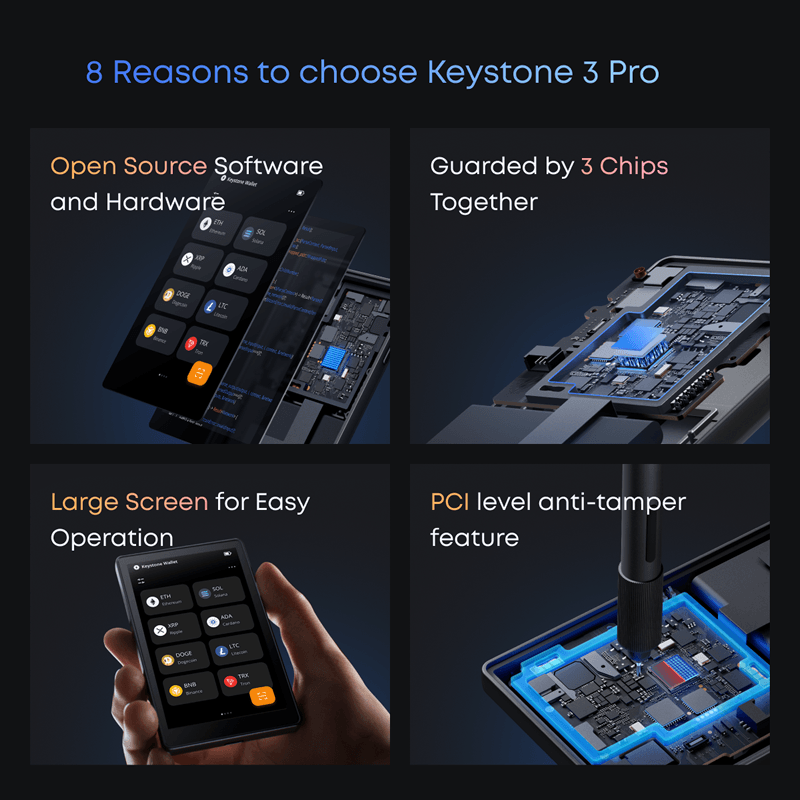
Most hardware wallets ask you to trust them. Keystone is built around the opposite idea. The firmware is on GitHub. The hardware schematics are public. There is an on-device checksum you can verify against a build you compiled yourself. That philosophy sits at the center of this Keystone wallet review, and it shapes almost every design decision the company made.
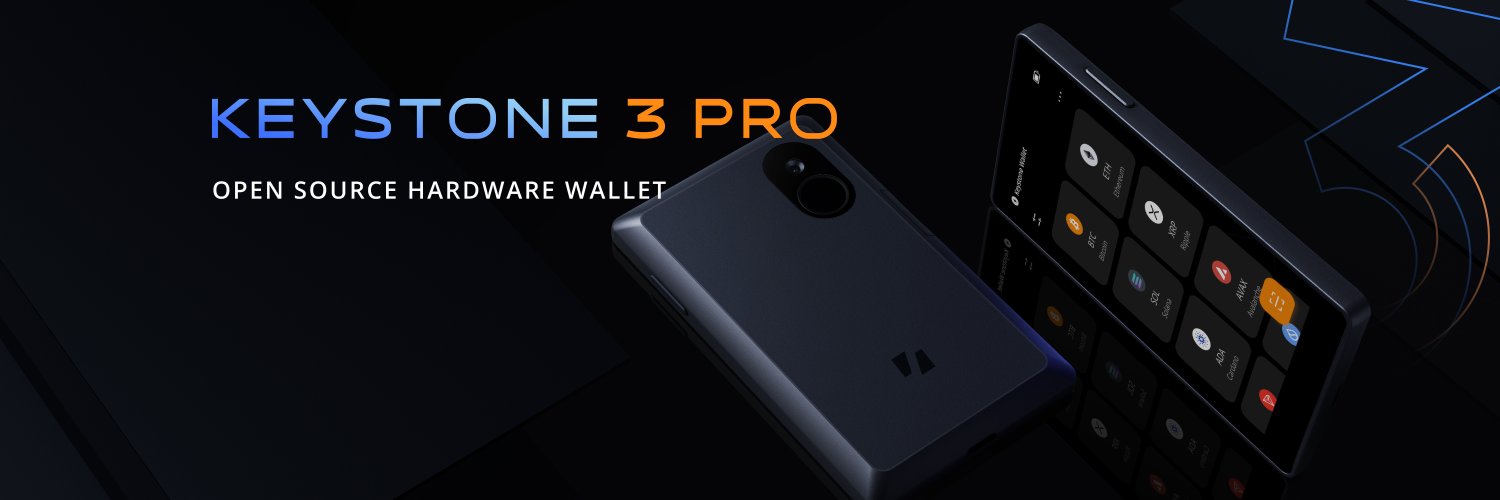
The current flagship is the Keystone 3 Pro. $149, a 4-inch touchscreen, three secure element chips from two different manufacturers, and an air-gap that works entirely through QR codes. No Bluetooth, no wireless, no USB data transfer during signing. It also holds official MetaMask partner status, which makes it the only air-gapped wallet with full EVM DApp compatibility.
Keystone 3 Pro: Quick Specs
| Detail | Value |
|---|---|
| Price | $149 (with 32 GB microSD: ~$164) |
| Display | 4-inch LCD touchscreen, 480×800 px |
| Battery | 1,000 mAh, USB-C charging |
| Dimensions | 112 x 65 x 18 mm, 115 g |
| Secure Elements | 3: Microchip ATECC608B, Maxim DS28S60, Maxim MAX32520 |
| Connectivity | Air-gapped via QR codes; USB-C for power and firmware only |
| Supported Assets | 5,500+ coins and tokens |
| Software Wallets | 45+ (MetaMask, Sparrow, Keplr, Solflare, Rabby, BlueWallet, Nunchuk, OKX, and more) |
| Backup Standards | BIP39 (12/18/24-word), SLIP-39 Shamir Backup |
| Seed Phrases | Up to 3 independent wallets on one device |
| Open Source | Firmware + hardware schematics, MIT License, GitHub |
| Security Audits | SlowMist, Least Authority |
| Firmware Stack | Rust + C, FreeRTOS, MH1903 MCU |
What Is the Keystone Wallet?
Keystone started in 2018 under the name Cobo Vault, operating out of Hong Kong. When the company rebranded, the name change was the least interesting part. The real shift was under the hood: earlier Cobo Vault devices ran on Android, which brought flexibility but also a sprawling software attack surface that a signing device simply doesn’t need. Keystone replaced all of that with a lean embedded system built on FreeRTOS, and rewrote the firmware in Rust and C.
FreeRTOS is a real-time OS built for hardware with a narrow, specific job. No background services, no broad library dependencies, no unnecessary processes. The wallet manages private keys and signs transactions. That is the entirety of what it runs.
The triple secure element design debuted with the Keystone 3, and the 3 Pro is the current version of that hardware. That is what this Keystone 3 Pro review covers.
Security Architecture
Three Chips and Why Two Manufacturers Matter
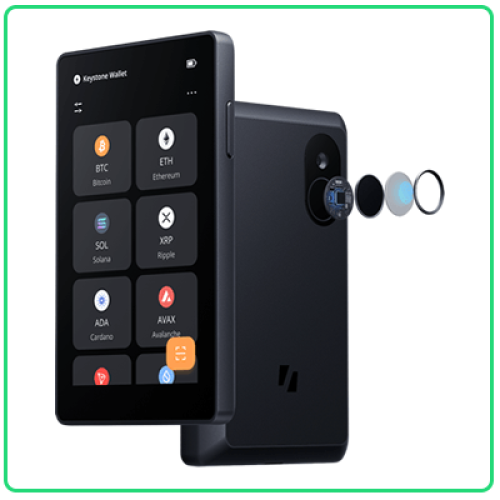
Single-chip secure element designs are the norm in hardware wallets. Keystone uses three chips sourced from two separate manufacturers, Microchip and Maxim, and the reasoning is more concrete than it might first appear.
The Microchip ATECC608B and the Maxim DS28S60 work together to protect the seed phrase. Neither holds the full picture on its own. The ATECC608B runs a key derivation function to produce one component of the seed encryption key. The DS28S60 independently generates and stores a separate random number that forms the other component. Extracting the seed requires simultaneously compromising both chips and knowing the user’s password. A flaw discovered in one manufacturer’s chip does not hand an attacker anything usable by itself.
The third chip, the Maxim MAX32520, handles biometric data exclusively. Fingerprint verification runs inside it, stored in encrypted flash, and the template never leaves that chip during the authentication process.
Keystone also gives users the option to generate their own seed using physical dice. Roll the dice, feed the results into the device as entropy, and the wallet calculates the checksum word. Users can also choose the 11th or 23rd word manually. Keystone recommends this only for people who actually understand what they are doing with entropy, because getting it wrong defeats the purpose entirely.
What QR Signing Looks Like in Practice
Nothing passes through a cable or wireless channel during a signing operation. Here is the actual sequence: a software wallet like MetaMask constructs an unsigned transaction and displays it as a QR code. The Keystone camera reads that code. The device shows the parsed transaction on the 4-inch screen, including the recipient address, amount, network, and fee, so the user can verify everything before confirming. Confirm with a fingerprint or PIN, and the device generates a signed transaction QR. Scan that back into MetaMask with a phone camera, and it broadcasts to the network.
The USB-C port is on the device but it is not part of that flow. Charging and microSD-based firmware updates are its only functions. Transaction data does not touch it.
Open-Source Code, With One Caveat Worth Knowing
The firmware lives on GitHub under the MIT License. Two independent security firms, SlowMist and Least Authority, have audited it. Least Authority found one high-severity issue in the tamper-response mechanism during their review. That issue was fixed before public disclosure.
For users who want to go further, Keystone supports on-device checksum verification. Build the firmware yourself from the GitHub source, generate a checksum from that build, and compare it to what the device displays. This is the operational version of “Don’t Trust, Verify” rather than just a marketing line.
One honest limit to the open-source claim: the firmware runs on an MH1903 MCU, and that chip’s library ships as a pre-compiled binary. The chip manufacturer holds IP rights over it, so that layer of the stack cannot be independently audited or rebuilt. Everything above it is open. It is worth knowing the boundary exists.
Physical Security
If someone physically opens the device, a PCI-grade security enclosure detects it and wipes the seed phrase and master key automatically. This is the same tamper-response class used in bank payment terminals. The screen is angled to limit what is visible from the side, and the fingerprint sensor secured inside the MAX32520 is required before any signing operation.
Backup and Recovery
There are three ways to handle backup, and they are not mutually exclusive.
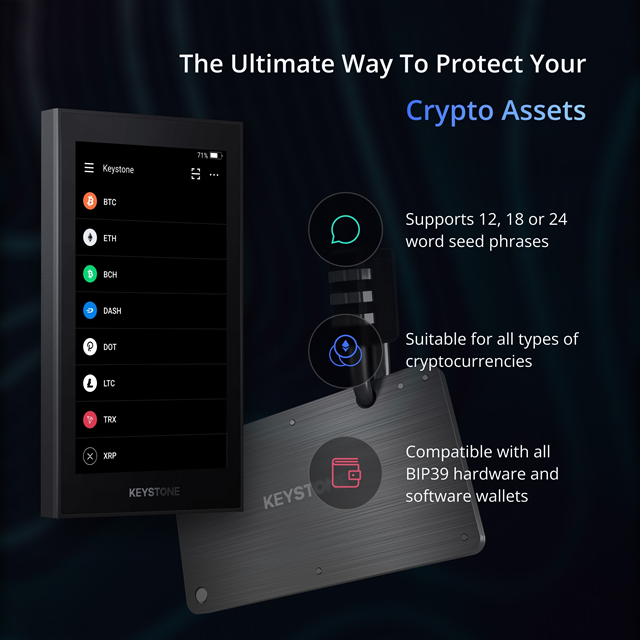
BIP39 is the standard path: a 12, 18, or 24-word recovery phrase written down and stored offline. Widely compatible with the rest of the hardware wallet ecosystem.
SLIP-39 Shamir Backup is more interesting for users who want redundancy without a single point of failure. The seed is split into shares, and recovery only requires a subset of them. A 2-of-3 setup, for example, means any two of three share sets can restore the wallet. Losing one share completely does not put assets at risk. A 5-of-10 configuration spreads the shares wider at the cost of more physical storage locations to manage.
Dice-roll entropy is the option for users who want to exclude software randomness from the seed generation process entirely. Roll physical dice, enter the results, and let the device do the checksum math. Keystone is clear that this is for experienced users because the entropy process has to be done correctly to actually mean anything.
On top of all of this, the device stores up to three fully independent seed phrases. Each wallet is unlocked by its own fingerprint or password. In practice, that might mean one wallet for long-term Bitcoin storage, one for active Ethereum activity, and one for anything shorter-term. Switching between them takes a few seconds.
Ecosystem and Supported Wallets
Air-gapped wallets usually come with a trade-off: deeper security, narrower compatibility. That tradeoff has defined the category for years. Keystone breaks it, and ecosystem breadth is one of the more important points in any Keystone wallet review because the device supports DeFi workflows that most air-gapped hardware simply cannot handle.
Keystone is an official MetaMask partner, and the only air-gapped hardware wallet with full compatibility across both the MetaMask browser extension and the MetaMask mobile app. EVM-chain DApps, NFTs, smart contract approvals, all of it works through QR code signing without a cable.
Supported Software Wallets by Ecosystem
| Ecosystem | Wallets |
|---|---|
| EVM / DeFi | MetaMask, Rabby, OKX Web3 Wallet |
| Bitcoin | Sparrow, BlueWallet, Electrum, Nunchuk, UniSat |
| Solana | Solflare, Backpack, Phantom |
| Cosmos | Keplr |
| Cardano | Eternl |
| TON | Tonkeeper |
| XRP | XRP Toolkit |
| Multisig | Nunchuk, Specter Desktop, Sparrow |
| Developer | Polkadot.js, SubWallet |
Total supported assets exceed 5,500 coins and tokens.
Bitcoin-only users can flash an alternative firmware that strips everything except BTC support. Same device, smaller codebase, reduced attack surface. Switching back to the multi-coin firmware is also possible if priorities change.
Staking is where the limitations show up. The device has no native staking interface. Polkadot (DOT) can be staked through Polkadot.js, but most other staking happens through whichever companion wallet is being used. Keystone handles the signing step; the staking logic runs elsewhere.
Full Product Lineup
The hardware wallet is the core product, but Keystone sells a wider range of things around it.
Hardware Wallets
| Product | Notes |
|---|---|
| Keystone 3 Pro | $149 (flagship, reviewed here) |
| Keystone Bundle Pack | Device + Tablet Plus; saves $23 |
| Keystone 3 Pro Co-Branded Editions | Solflare, OKX, Safe variants |
| Keystone 3 Pro NFT Customization | Custom NFT lockscreen |
Developer Hardware
| Product | Notes |
|---|---|
| ForgeBox | Developer hardware for firmware development and testing (new) |
Seed Phrase Storage
| Product | Notes |
|---|---|
| Keystone Tablet | Stainless steel backup plate |
| Keystone Tablet Plus | Enhanced steel backup |
| Keystone Tablet Punch | Punch-stamp steel backup tool |
Accessories
| Product | Notes |
|---|---|
| Keystone Wallet Pouch | Protective carry pouch |
| Keystone Tablet Pouch | Protective leather pouch |
Pros and Cons
Who Is the Keystone 3 Pro Best For?
A Keystone wallet review that lists features without naming who they are actually for is not very useful. Three types of users get clear value from this device.
DeFi and multi-chain users who want air-gap security without giving up MetaMask. Most air-gapped wallets force a choice between security and DeFi access. Keystone keeps MetaMask working through QR codes, including EVM DApps and token approvals.
Bitcoin users looking for a clean signing device to pair with Sparrow, Electrum, or Nunchuk. The PSBT workflow in Sparrow is well-supported, and anyone who wants to strip the firmware down to Bitcoin-only can do so without buying a separate device.
Users building multi-vendor multisig setups. A popular 2-of-3 configuration combines a Coldcard, a Trezor Safe 5, and a Keystone. Different manufacturers, different chip architectures, different signing methods. Keystone fits neatly as the QR-based leg of that setup, coordinated through Sparrow or Nunchuk.
Worth noting on the other side: if the priority is a single native app that handles everything, or on-device staking across a broad range of assets, Keystone is not the right fit.
Price and Where to Buy
The Keystone 3 Pro sells for $149 through the official Keystone store. Adding the 32 GB microSD card brings it to around $164. The Bundle Pack pairs the device with the Keystone Tablet Plus for steel seed phrase backup, saving $23 over buying both separately.
Payment works in fiat, Bitcoin, and stablecoins. Free shipping kicks in on orders above $30 to the US, EU (excluding Switzerland and Norway), and Australia. Users migrating from Ledger get a 20% discount, a promotion Keystone started after Ledger’s 2023 Recover feature announcement drove a wave of users toward alternatives.
Pricing at a Glance
| Option | Price |
|---|---|
| Keystone 3 Pro | $149 |
| With 32 GB microSD | ~$164 |
| Bundle Pack (device + Tablet Plus) | Saves $23 |
| Payment options | Fiat, BTC, stablecoins |
| Free shipping threshold | $30+ (US, EU excl. CH/NO, AU) |
| Ledger migration discount | 20% |
Frequently Asked Questions
Does the Keystone 3 Pro ever need to connect to the internet?
Not during signing. All transaction signing works through QR codes. The USB-C port handles charging and microSD firmware updates, nothing else. The device is offline by default.
Can I verify what firmware is actually running on the device?
Yes, and the process is real rather than theoretical. Build the firmware from the GitHub source code, generate a checksum, and compare it to the checksum displayed on the device. The MH1903 MCU library is the one exception, since it ships as a pre-compiled binary and cannot be rebuilt independently.
What happens if the device is lost or physically stolen?
Without the correct PIN or fingerprint, the device is inaccessible. Physical tampering triggers the PCI-grade self-destruct mechanism, which wipes the seed and master key. The seed phrase or Shamir shares stored offline are what recovery depends on.
Does Keystone support staking?
Polkadot (DOT) staking works via Polkadot.js integration. For most other assets, staking happens through the companion software wallet. Keystone signs the relevant transaction, but the staking interface is in the third-party app, not the hardware device itself.
Can Keystone be used in a multisig setup?
Yes. It participates as a QR-signing device in multisig configurations coordinated through Sparrow, Nunchuk, or Specter Desktop. It is often chosen as one of three devices in a multi-vendor 2-of-3 setup, where having different manufacturers and different signing methods for each leg reduces single-vendor risk.
Is Bitcoin-only firmware a separate product?
No. It is a free firmware option that any Keystone 3 Pro user can flash. Switching back to multi-coin firmware later is also possible.
What is the difference between Keystone and Cobo Vault?
Cobo Vault was the original brand, active from 2018. When the company rebranded to Keystone, the underlying hardware architecture also changed significantly, moving away from an Android-based OS to the current FreeRTOS embedded system. The two product lines do not share meaningful technical continuity.