
There’s a lot of thin coverage on Satochip out there — mostly specs copied from the product page with a verdict that could apply to any wallet. This satochip wallet review goes somewhere more specific: how the chip architecture actually works, where the security model has real gaps, and whether pairing it with SeedKeeper changes the risk calculation enough to matter.
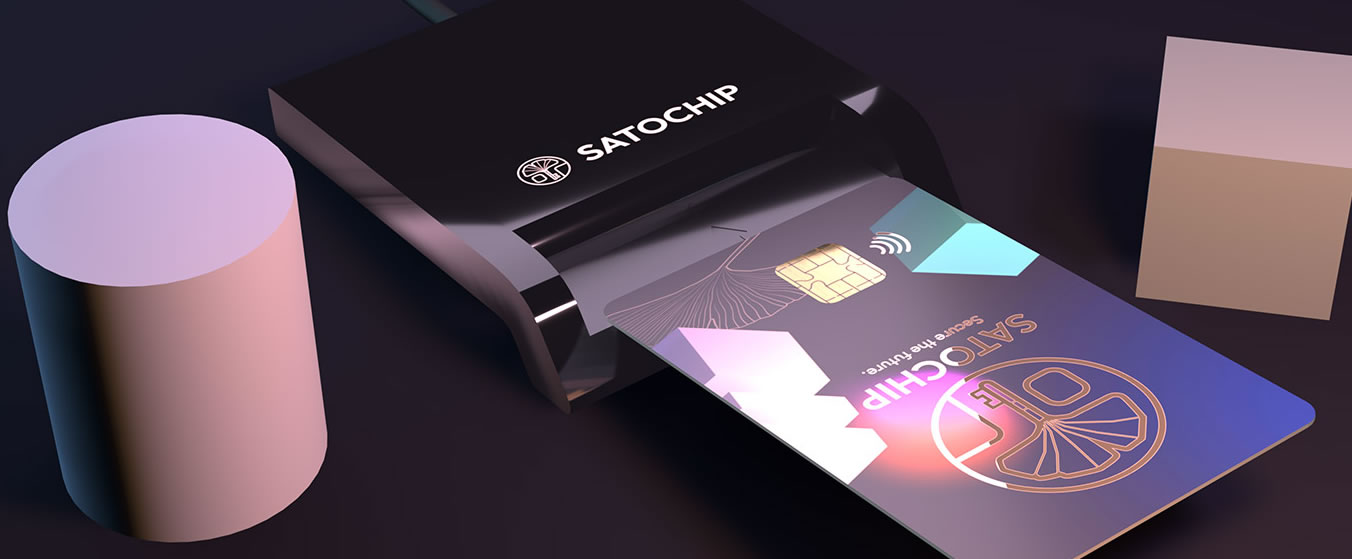
Most hardware wallets look like a USB drive or a small calculator. Satochip looks like your bank card. Not a metaphor — literally a credit card-sized NFC smartcard you could slip next to your Oyster card and nobody would look twice.
That either appeals to you or it immediately makes you suspicious. Both reactions are reasonable.
Satochip is a Belgian startup, founded in 2014 by Baudoin Collard and Bastien Taquet, and the card ships with an EAL6+ certified secure element — the same chip standard used in biometric passports. At around €25, nothing else with that certification comes close on price. Pair it with their SeedKeeper backup card, and the full ecosystem costs less than a Ledger Nano S Plus on its own.
There’s a catch, and it’s a real one. No screen. We’ll get to what that actually means for your security.
Quick specs
| Form factor | NFC smartcard — standard credit card size (85.6 × 54 mm, 10g) |
| Secure element | EAL6+ certified JavaCard chip (JCOP OS by NXP) |
| Connection | NFC or contact via chip card reader |
| Firmware | Open-source applet (AGPLv3); JCOP OS layer is closed-source |
| Supported coins | BTC, ETH, LTC, BCH, BNB, ERC-20, BEP-20, all EVM networks, ERC-721 NFTs — 1,000+ assets |
| Software | Satochip-Utils (Windows / macOS / Linux); Android companion app |
| Company | Satochip S.R.L., Belgium — registered BE0770730524 |
Security: what the chip actually does
Your private keys never leave the chip. When you approve a transaction, the signing happens inside the secure element — only the signature comes back out, not the key. The key stays on the card, inaccessible from outside.
The chip is EAL6+ certified, which matters more than it might sound. That rating requires independent lab testing against physical tampering, fault injection, and side-channel attacks — not a self-certification, not a manufacturer claim. Ledger uses the same standard on some of their devices; a few of their cheaper models sit at EAL5+. Satochip is EAL6+ across the board.
PIN protection is hardware-enforced. You pick a 4–16 character PIN during setup. Get it wrong five times and the card permanently destroys itself. Your funds aren’t gone — the seed phrase is your real backup — but that specific card is done. It’s designed to be useless to anyone who steals it.
One detail most reviews skip: Satochip implements RFC6979 deterministic nonces when signing transactions. A nonce is a number used once in the signing process. If nonces are ever weak or reused, an attacker can reverse-engineer your private key from just two signed transactions. RFC6979 makes the nonce derived from the transaction data itself, so it can’t be reused or generated carelessly. It closes a known attack vector that some cheaper signing devices leave open.
The no-screen problem, explained concretely
Without a screen on the device, you can’t verify the recipient address before signing. You’re reading it off your computer or phone — the same software that could, in theory, be compromised.
Address-substitution malware does this silently: it swaps a wallet address in your clipboard right before you confirm, and you’d never see it happen. Satochip’s answer is a companion 2FA app for Android. Before the card signs, you review and approve the transaction on a second device. A compromised computer alone isn’t enough anymore. That’s meaningful — but only if you use the app every single time, and it still isn’t the same as reading the address off the device itself.
Firmware and open-source: what you can actually verify
The applet running on the card is fully open-source, AGPLv3 licensed, and sitting on GitHub. Every line is readable. Satochip-Utils and the 2FA app are open-source too.
Where it gets more complicated: the card runs on JCOP, a proprietary operating system made by NXP. That layer is closed-source. You can audit the application on top of it, but not the OS underneath — the same arrangement as your passport chip, your SIM card, your bank card. It’s standard for the smartcard industry and not specific to Satochip, but “fully open-source” slightly overstates it.
Software update — relevant for new buyers
The old Seedkeeper-Tool was retired in November 2024, replaced by Satochip-Utils — one application that manages the Satochip, SeedKeeper, and Satodime cards. Any guide still referencing Seedkeeper-Tool is out of date. Use Satochip-Utils for setup, firmware updates, and everything else.
Setup and everyday use
Budget 15 to 20 minutes the first time. You need Satochip-Utils installed, plus either an NFC-capable Android phone or a chip card reader. (Satochip sells a tested €15 reader. Generic readers often work, but compatibility isn’t guaranteed.)
Plug in or tap the card, set your PIN, initialise. The software generates a 12 or 24-word seed phrase and shows it once. Write it down before clicking anything else — you won’t see it again.
It’s not Ledger’s polished onboarding and it isn’t trying to be. Documentation is functional, not beautiful. If you’ve set up a hardware wallet before, nothing here will surprise you. If this is your first, read the setup guide fully before starting rather than discovering things mid-process.
Backup process
| Seed phrase | 12 or 24 words (BIP39) — shown once during setup, never again |
| PIN | 4–16 characters — no recovery if forgotten; device bricks at 5 wrong attempts |
| Optional upgrade | Store seed encrypted on a SeedKeeper card (covered below) |
For day-to-day use, Sparrow Wallet on desktop is the most reliable pairing. The integration is actively maintained. Electrum works equally well. MetaMask connects for EVM transactions and DeFi. There’s nothing to press, no menu to navigate — the card is just present; the software handles everything else.

Supported assets
| Bitcoin | Full support; Bitcoin-only firmware available (smaller attack surface) |
| Ethereum + ERC-20 | Native, including all EVM-compatible networks |
| Other chains | LTC, BCH, BNB / BEP-20 native |
| NFTs | ERC-721 supported via standard signing |
| DeFi | Accessible via MetaMask on any supported EVM chain |
| Not supported | Solana, Cardano, Polkadot — no native support |
Compatibility and integrations
| Desktop OS | Windows, macOS, Linux |
| Mobile | Android (NFC) — iOS not currently supported |
| Wallet software | Sparrow, Electrum, MetaMask, Uniblow |
| Advanced pairing | SeedSigner (air-gapped setup); Yubikey Neo (DIY) |
SeedKeeper: why this changes the backup conversation
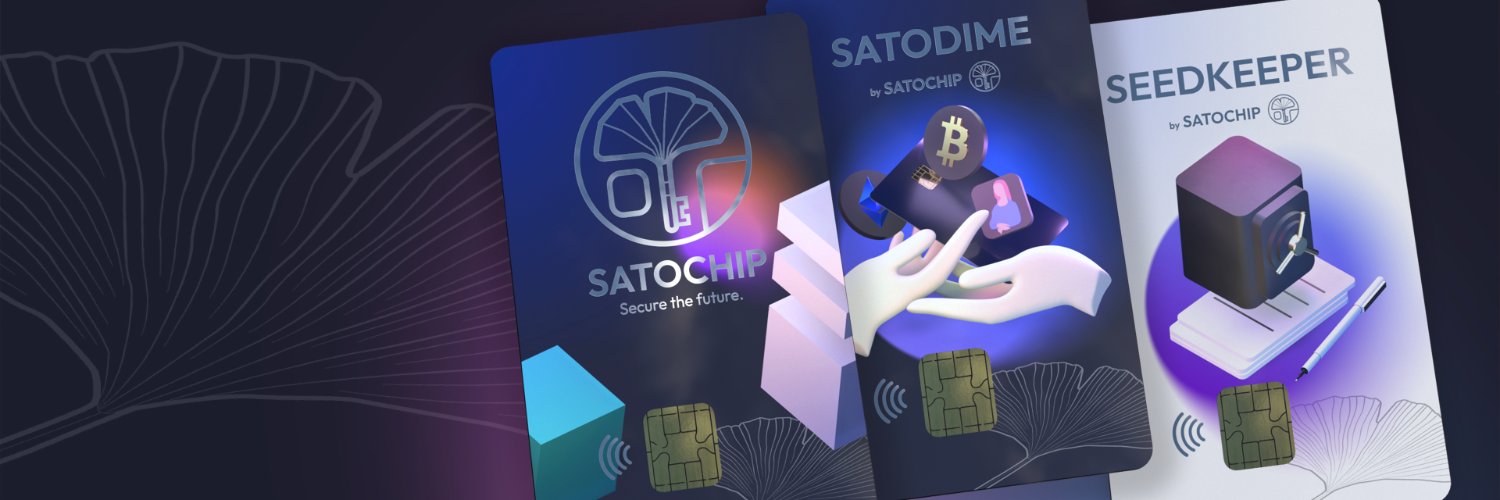
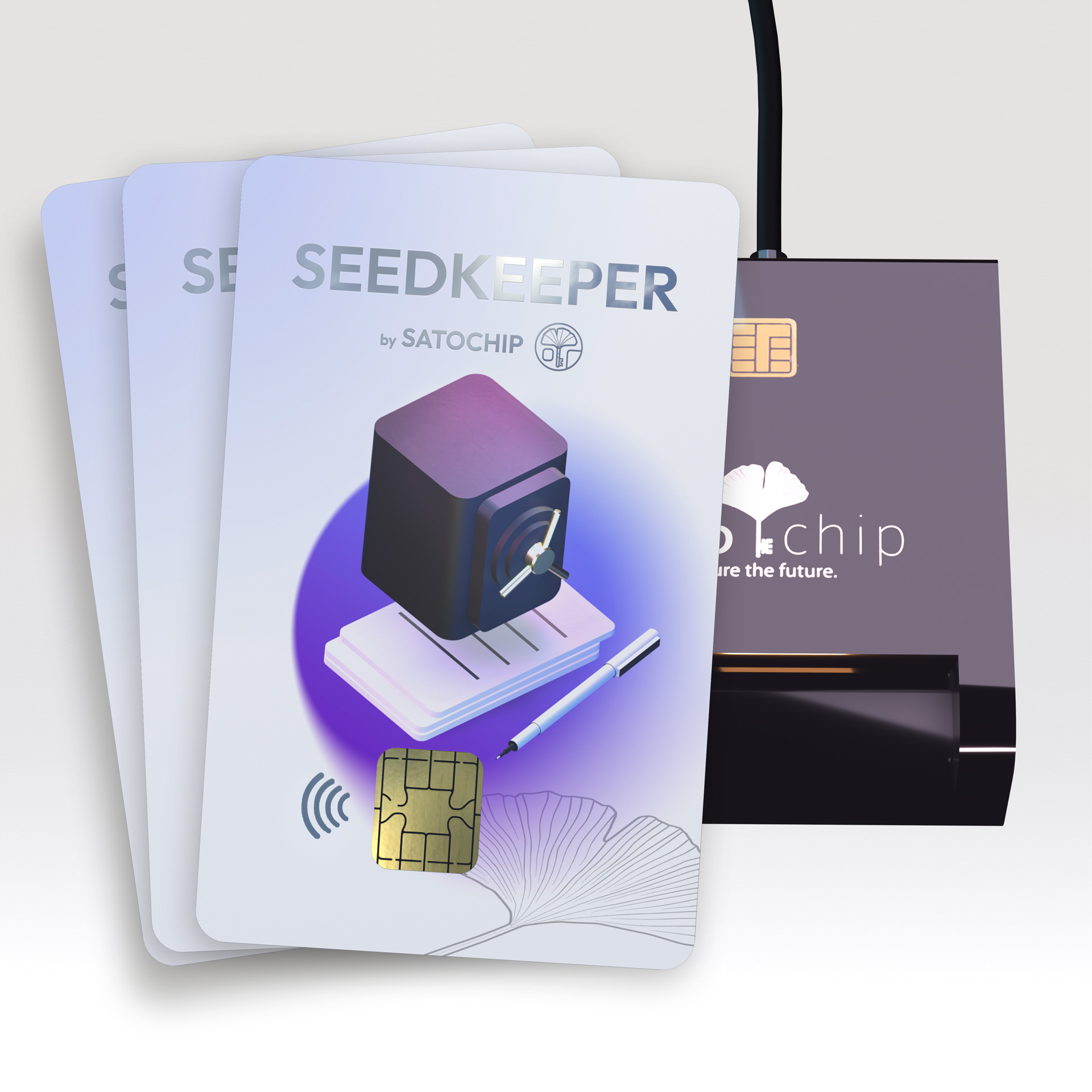
SeedKeeper is a separate card — same EAL6+ chip, same PIN-bricking mechanism — but built entirely for storing seed phrases rather than signing transactions.
The pairing workflow is what makes it interesting. Connect a SeedKeeper to a Satochip and the two cards authenticate each other, then build a shared encryption key. Your seed transfers between them encrypted — it never exists in plaintext on your computer or outside either chip. You can make multiple SeedKeeper copies and keep them in different locations. None of those backups contains a readable seed.
Paper works, and plenty of people use it without incident. But paper can burn, it can be photographed, it can turn up in a desk drawer during an estate dispute. A SeedKeeper bricks against brute-force and keeps the seed inside a certified chip. For €25 alongside the Satochip, the case for using one is hard to argue against.
Build quality
It’s a credit card. Ten grams. Standard dimensions. Nothing remarkable to say about how it feels.
The durability concern isn’t whether it survives daily carry — credit cards usually do — it’s whether you want your crypto keys physically adjacent to your gym membership card. Some people like the inconspicuousness. Others would rather have the thing in a fireproof box and not carry it at all. Both approaches work. If you do carry it, keep the SeedKeeper backup somewhere genuinely separate.
Risks worth being clear about
If you lose the card, your funds are fine. The card is useless without the PIN and destroys itself after five guesses. Restore from your seed phrase on any BIP39-compatible wallet.
If you lose the seed, everything is gone. No company can fix this. No support ticket helps. This applies to every self-custody wallet — Satochip is no different from Ledger or Trezor here. The seed is the money.
Buy from satochip.io directly. Satochip cards arrive uninitialised — you generate the seed yourself — but only if the card hasn’t been tampered with first. A card from an unknown third-party seller could have been pre-seeded with a key the seller controls.
On firmware updates: because the applet is open-source, you can verify that an update does what it claims before installing. Check the published hash against the release. Five minutes, worth doing.
Price and what you get for it
~€65
Card + reader + SeedKeeper
~€79
No separate seed backup
~€79
Has a screen; no seed backup
The Trezor Safe 3 is worth acknowledging directly: it costs about the same as the Satochip ecosystem and has a screen, which solves the address-verification problem. If that trade-off matters to you — and it might — the Trezor is the more straightforward choice at this price range. What Satochip offers instead is a lower chip price, an encrypted hardware backup system, and a codebase you can fully audit.
One thing worth keeping in mind if you’ve compared wallets before landing on this satochip wallet review: the Satochip is designed to work as a system, not just a standalone card
Pros and cons
Verdict
Our assessment
Satochip is unusual in the hardware wallet space — and not just because of the form factor. A certified secure element, a fully auditable codebase, and an encrypted backup system for under €70 doesn’t have a direct equivalent anywhere else right now.
The screen is the honest problem. Not a quirk, a genuine security limitation. The 2FA app helps, but it’s a workaround rather than a solution. If you’re moving large amounts and want to confirm addresses on the device before signing, Satochip asks you to trust your software instead. Some people will be fine with that. Others won’t — and the Trezor Safe 3 at similar pricing is worth a look if you’re in that camp.
Who this suits: someone who understands self-custody, values open-source auditability, and either uses the 2FA app consistently or is comfortable with the address-verification trade-off. Not the best pick for a first hardware wallet if you want guided onboarding. A strong pick if you know what you’re doing and don’t want to pay the Ledger premium for features you’ll never use.
Frequently asked questions
Is Satochip as secure as Ledger?
On chip security, yes — EAL6+ matches or exceeds most current Ledger models. The meaningful gap is the screen: Ledger lets you verify recipient addresses on the device itself; Satochip doesn’t. Whether that matters depends on how carefully you work with address verification in your connected software.
Do I need a card reader to use Satochip?
You need either a chip card reader or an NFC-capable Android phone. Satochip’s own reader costs €15 and is fully tested — generic readers often work but aren’t guaranteed. iOS isn’t currently supported via NFC.
What happens if I forget my PIN?
After five wrong attempts the device is permanently bricked — there’s no reset, no recovery. Your funds are fine if you have your seed phrase; restore them on any BIP39 wallet. The card itself, though, is done.
What is SeedKeeper and do I need it?
SeedKeeper is a companion smartcard that stores your seed inside its own secure element — encrypted and PIN-protected, never in plaintext. Paper backup functions, but SeedKeeper is a meaningfully stronger option. At €25, it’s worth adding if you’re serious about the setup.
Can I use Satochip with Sparrow Wallet?
Yes. Sparrow has solid native Satochip support and is the most commonly recommended client for Bitcoin use. Electrum and MetaMask work too, for other chains.