Ledger has sold over 8 million devices. The company claims that more than 20% of all crypto in circulation is secured on its hardware. Whether you trust that number or not, it reflects something real: more people have staked their cold storage choice on this brand than any other.
This ledger hardware wallet review does not skim the product page back at you. The five active models, the security architecture, the 2020 data breach, Ledger Recover, and the parts of the ecosystem that most reviews skip entirely. All of it is covered here. Every claim is sourced directly from ledger.com and shop.ledger.com.
Quick Overview
| Company | Ledger SAS, Paris, France (est. 2014) |
| Models covered | Nano S Plus, Nano X, Nano Gen5, Flex, Stax |
| Supported assets | 15,000+ (500+ natively via Ledger Wallet app) |
| Companion app | Ledger Wallet (formerly Ledger Live) |
| Secure Element | CC EAL6+ on all models except Nano X (EAL5+) |
| Price range | ~$79 to ~$399 |
| Compatible systems | Windows 10+, macOS 12+, Ubuntu 20.04+, Android 10+, iOS 15+ (not Nano S Plus) |
Ledger has sold over 8 million devices. The company claims that more than 20% of all crypto in circulation is secured on its hardware. Whether you trust that number or not, it reflects something real: more people have staked their cold storage choice on this brand than any other.
This ledger hardware wallet review does not skim the product page back at you. The five active models, the security architecture, the 2020 data breach, Ledger Recover, and the parts of the ecosystem that most reviews skip entirely. All of it is covered here. Every claim is sourced directly from ledger.com and shop.ledger.com.
The Device Does Not Actually Hold Crypto
Ledger has started calling its devices “signers” instead of hardware wallets, and the distinction is worth a moment before diving into specs.
Your crypto exists on the blockchain. What the device holds is your private key, the cryptographic proof that authorizes any transaction you send. When you move Bitcoin or interact with a smart contract, your phone or computer builds the transaction and forwards it to the Ledger device. The device signs it internally using the key stored inside its chip, then sends back only the completed signature. The key never travels anywhere.
That is the point of the whole architecture. A computer that has been compromised cannot steal a key it has no access to.

The Full Lineup
Model Comparison
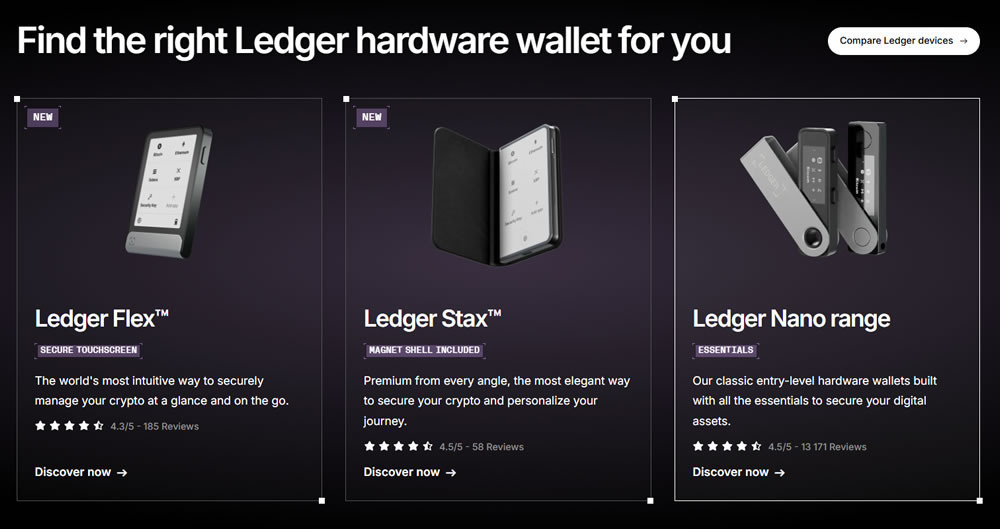
Model Screen Connectivity Secure Element Battery Price (approx.) Nano S Plus 1.1″ OLED, 128x64px USB-C only CC EAL6+ None ~$79 Nano X 1.1″ OLED, 128x64px USB-C + Bluetooth CC EAL5+ ~5h ~$149 Nano Gen5 2.8″ E Ink, 300x400px USB-C + Bluetooth + NFC CC EAL6+ ~10h ~$99 Flex 2.8″ E Ink, 480x600px, Gorilla Glass USB-C + Bluetooth + NFC CC EAL6+ ~10h ~$249 Stax 3.7″ curved E Ink, 400x670px USB-C + Bluetooth + NFC + Qi CC EAL6+ ~10h ~$399
Nano S Plus
At around $79, the S Plus is the entry point for certified security without wireless anything. No battery, no Bluetooth, no touchscreen. It draws power from the connected host and communicates over USB-C only. It supports up to 100 installed apps at once and carries a CC EAL6+ rated Secure Element.
There is one thing to nail down before buying it: the Nano S Plus does not work with iOS. Not because of a software gap that might eventually get patched, but because of Apple’s MFi hardware certification requirements. If your daily phone is an iPhone, this model is a non-starter. Android and desktop users have no such problem.
It does exactly one job well: offline key storage for the lowest price in the lineup.
Nano X
The Nano X was the mobile-friendly answer when Ledger had nothing else to offer wireless users. It added Bluetooth and a built-in battery to the S Plus formula, and for several years it was the natural recommendation for anyone who wanted to manage crypto on their phone without plugging in a cable.
Two things make it a harder recommendation now. Its Secure Element carries a CC EAL5+ certification, while every other model currently in the lineup is rated EAL6+. And the Nano Gen5 has since arrived at a lower price, with EAL6+ and a touchscreen. People who already own a Nano X have no pressing reason to replace it. Buying one new in 2026, with the Gen5 sitting right next to it in the shop, is difficult to justify.
Nano Gen5
Released in late 2025, the Gen5 is the most significant shift in Ledger’s entry-level range in years. A sub-$100 Ledger with a touchscreen simply did not exist before this device. The 2.8″ E Ink display runs at 300x400px, the frame is plastic, and it adds USB-C, Bluetooth, and NFC alongside CC EAL6+ certification.
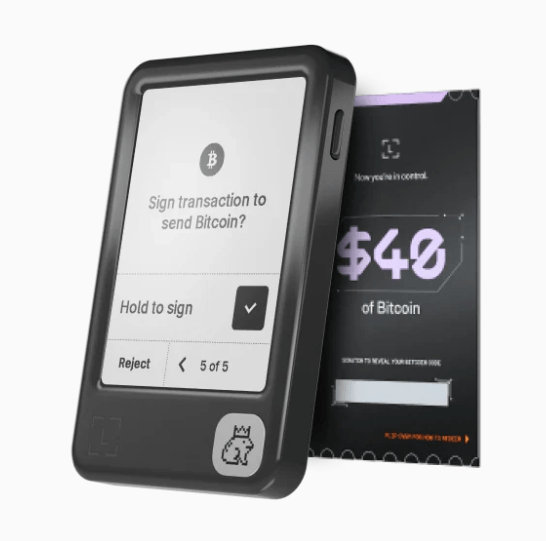
It also ships with the Ledger Recovery Key NFC card in the box, and it supports the three features that are only possible with a touchscreen: Clear Signing, Transaction Check, and the Ledger Security Key hardware 2FA. The screen resolution is lower than the Flex and the build quality reflects the price, but the security architecture underneath is identical to the more expensive models. For a first hardware wallet purchase, it is the strongest option at the price.
Ledger Flex
The Flex shares the same 2.8″ E Ink form factor as the Gen5 but steps up in almost every physical respect. The screen resolution is 480x600px, the glass is Gorilla Glass, the frame is aluminium, and there is sound feedback on top of haptics. Six color variants are available, including a BTC Orange and a Solana Edition.
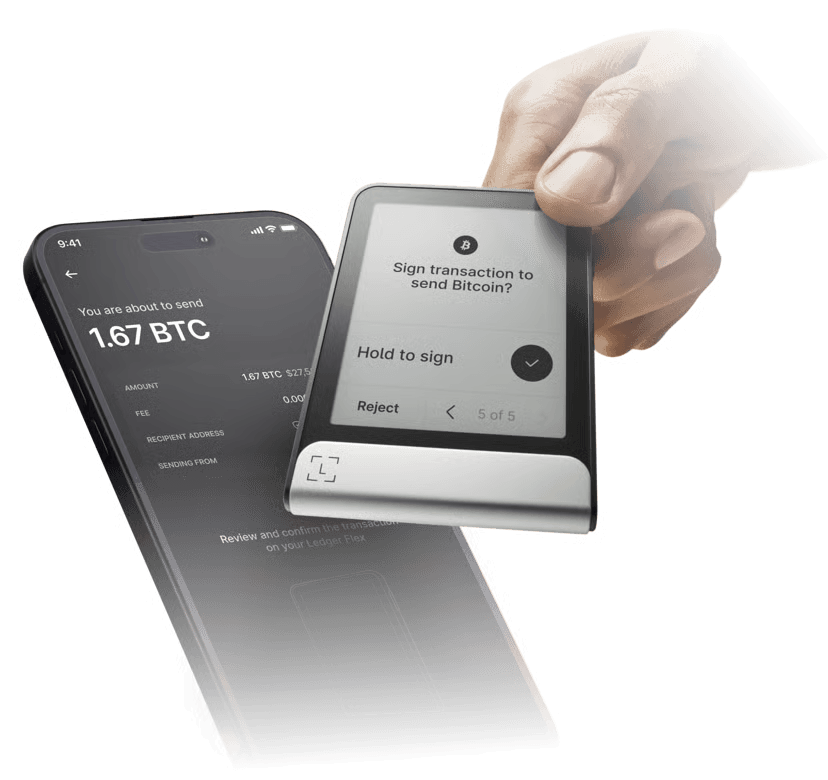
Battery life sits at around 10 hours or approximately 150 transactions. All touchscreen-specific features are supported. Where the Gen5 is the sensible entry point, the Flex is where most active users who care about daily usability tend to settle, especially anyone spending meaningful time in DeFi who wants the confidence of seeing full transaction details before approving them.
Ledger Stax
The Stax is credit card-sized at 85x54x6mm, built around a 3.7″ curved E Ink screen, and it is the only Ledger with Qi wireless charging. Magnetic shell compatibility allows stacking. The physical design came out of a collaboration with Tony Fadell, who co-invented the iPod.
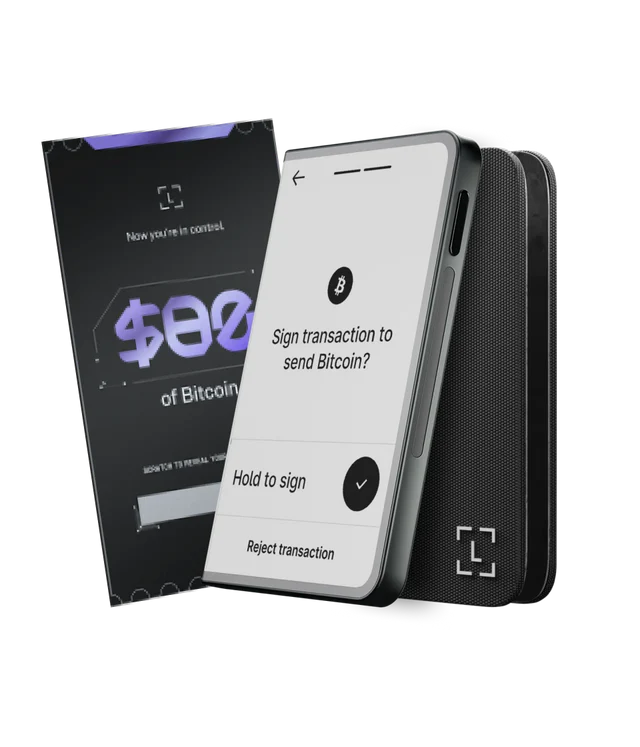
The Secure Element chip and certification level are exactly the same as the Flex and Gen5. Spending $399 on the Stax buys a larger screen, wireless charging, and a premium build. It does not buy a higher security rating, because there is no higher rating to buy.
How the Security Actually Works
The Secure Element Chip
Every Ledger device uses a Secure Element chip, the same category of chip found in bank cards, biometric passports, and SIM cards. Key generation, key storage, and transaction signing all happen inside the chip. Nothing leaves it during normal operation.
The Common Criteria EAL rating is the result of independent third-party testing for physical attack resistance. EAL6+ is the ceiling for consumer hardware. Current models at EAL6+: Nano S Plus, Nano Gen5, Flex, and Stax. The Nano X sits at EAL5+.
Worth keeping in perspective: a chip-level extraction attack requires specialized lab equipment and physical access to the device. For most users the practical threat is phishing, not someone running their Ledger through a decapping rig.
Closed-Source Firmware
Ledger’s operating system is BOLOS, which stands for Blockchain Open Ledger Operating System. Each blockchain application runs in an isolated container, so a problem in one app cannot reach keys stored for another chain. The firmware itself is proprietary and closed-source.
That matters. Community members cannot independently verify what the firmware actually does, which is a real limitation. Trezor’s firmware is open-source, and that transparency is genuinely useful. Ledger’s position is that the Secure Element architecture resists physical extraction in a way that open hardware without dedicated SE chips does not. Neither argument cancels the other. They address different parts of the threat model.
Clear Signing vs. Blind Signing
When a DeFi app asks you to approve a transaction, what you are typically shown is a readable summary. What is actually being signed is a hash. If the app is malicious, or has been compromised, the hash and the summary may not match. Approving without seeing the underlying data is called blind signing, and wallet draining attacks have relied on exactly this gap.
Touchscreen Ledger models show the full transaction on the device screen before you confirm: destination address, amount, which chain, which contract. That is Clear Signing. What appears on the device is what gets signed.
The Nano X and Nano S Plus cannot do this. The 128x64px OLED screen cannot fit full transaction data. Users on those models are approving a compressed representation rather than the readable details.
The 2020 Data Breach: What Was Actually Exposed
In July 2020, Ledger’s e-commerce and marketing database was accessed without authorization. The exposed records included approximately one million customer email addresses. Around 270,000 customers had their physical shipping addresses and phone numbers taken as well.
Private keys, seed phrases, PINs, and balances were not in that database. The breach hit Ledger’s customer relationship management system, which is entirely separate from any device or cryptographic infrastructure. No crypto was accessible through what was exposed.
The real damage came from what happened next. Phishing campaigns used the leaked names and addresses to send convincing Ledger impersonation emails requesting seed phrases. Anyone who had internalized the basic principle that Ledger will never ask for a seed phrase was not at risk. Ledger has since revised its data retention practices and reduced the personal information it collects at checkout.
Ledger Recover: What It Is and What It Is Not
Ledger Recover is an optional paid subscription. Nothing about it activates by default, and enabling it requires deliberate steps from the user.
When subscribed, the device encrypts the seed phrase and divides it into three fragments. Each fragment goes to a separate independent custodian operating in a different country, stored using Hardware Security Modules. No single custodian holds enough to reconstruct the phrase. Getting access back requires identity verification, after which at least two of the three fragments reassemble the phrase directly on the user’s own Ledger device.
The objection that surfaced when Ledger Recover launched in 2023 was not about how the custodians handle the data. It was architectural. The firmware has to be capable of extracting and transmitting seed phrase data for this service to function at all, even if that only happens when explicitly triggered by the user. That conflicts with the principle some users hold as non-negotiable: keys never leave the device, full stop.
Ledger Recover is a reasonable choice for someone who is genuinely worried about losing a physical backup and is comfortable with identity verification as part of a recovery process. It is not the right fit for anyone who wants full self-custody with zero third-party exposure. That is not a criticism of the product; it is just an honest description of what it is designed to do.
Backup Options Beyond the Paper Sheet
The 24-word sheet is where everyone starts. Most reviews stop there too. Ledger actually offers four distinct approaches to protecting seed phrase access, and they involve very different trade-offs.
Recovery Options Compared
Solution Offline Requires Identity What Protects It Paper Recovery Sheets Yes No Nothing (readable by anyone who finds it) Ledger Recovery Key (NFC card) Yes No Secure Element chip + PIN Ledger Recover (subscription) No Yes (KYC) Encryption + 3-custodian split Metal backup (Billfodl / Cryptotag Zeus) Yes No Material durability only
The Ledger Recovery Key is the one most reviews miss. It is an NFC smart card that contains its own Secure Element chip and requires a PIN to operate. Enter the wrong PIN three times and the card wipes itself. It ships in the box with the Stax, Flex, and Gen5, and communicates only with touchscreen Ledger devices via encrypted NFC. No cloud. No registration. No third parties.
Paper sheets as primary and the Recovery Key as secondary covers most realistic failure scenarios without introducing any external dependencies.
The Ledger Wallet App
Previously known as Ledger Live, the companion software was rebranded as Ledger Wallet with a substantial version 4.0 update.
Ledger Wallet App
Available on: Windows 10+, macOS 12+, Ubuntu LTS 20.04+, iOS 15+, Android 10+
Feature Detail Buy crypto 50+ service providers compared in-app Swap Cross-chain, cross-provider price comparison Stake ETH, SOL, ADA, DOT and others via Figment, Kiln, and others MEV protection Active on swap transactions NFT management Ethereum and Polygon dApp browser Web3 access with device signing Portfolio tracking Real-time market data
Every transaction the app initiates requires physical confirmation on the connected device. The app also connects to over 50 third-party wallets including MetaMask, Phantom, and Coinbase Wallet, where Ledger acts as the signing layer while the software interface handles everything else.
In the UK and EEA, the Ledger CL Card extends this into everyday spending: crypto can be used at over 90 million merchants, converted to local currency at ATMs, used as collateral, deposited directly as payroll, and earns up to 2% cashback in crypto.
Pros & Cons of Ledger Hardware Wallets
Verdict
A decade of operation without a single device-level exploit is a meaningful track record. The EAL6+ Secure Element chip, 15,000+ asset support, and a growing ecosystem of companion services give Ledger a foundation that is genuinely hard to challenge at this price range.
For most people starting fresh with a hardware wallet in 2026, the Nano Gen5 is the clearest recommendation. It brings touchscreen clarity, Clear Signing, EAL6+, Bluetooth, and NFC under $100, a combination that simply did not exist at this price before late 2025. The Flex makes more sense for anyone in DeFi regularly who wants better screen resolution and more durable hardware. The Stax is for users who genuinely want the largest display and wireless charging and do not mind paying for it.
Two things belong in any honest ledger hardware wallet review: the closed-source firmware is a real trade-off, not a footnote, and Ledger Recover’s architecture has implications worth understanding before dismissing or embracing it. Neither disqualifies the product for most buyers, but both deserve to be understood.
Buy only from shop.ledger.com or verified authorized resellers. Second-hand hardware wallets cannot be trusted regardless of how they are presented.
FAQ
Is Ledger safe to use after the 2020 data breach?
The breach hit Ledger’s marketing database, not its device infrastructure. Private keys, seed phrases, and balances were not exposed. Ledger has since updated its data retention practices and reduced what personal information it collects at checkout.
Is Ledger Recover a security risk?
It is optional, requires a paid subscription to enable, and splits an encrypted version of the seed phrase across three independent custodians with no single party holding a complete copy. The architectural concern is that the firmware must be capable of extracting seed data for this to work, which some users consider incompatible with a strict self-custody model.
Does Ledger work with MetaMask and Phantom?
Yes. Ledger integrates as a hardware signing layer with over 50 software wallets, including MetaMask, Phantom, and Coinbase Wallet. The software wallet handles the interface; the Ledger device handles signing and keeps private keys hardware-isolated throughout.
What is the actual difference between the Nano Gen5 and the Flex?
Both carry CC EAL6+ certification and support Clear Signing. The Flex has a higher-resolution screen (480x600px versus 300x400px on the Gen5), Gorilla Glass, an aluminium frame, and sound feedback. The Gen5 uses plastic and lower resolution. The underlying security is the same.
What happens if the device is lost or stolen?
The device is not the access point. The 24-word seed phrase is. Any BIP39-compatible wallet can restore full access using the seed phrase. Without the correct PIN, the Ledger itself wipes after three wrong attempts and is worthless to whoever has it.